
Plan every weave, jump and tunnel with ease.
Keep notes on every dog, track their A-frames and running dog walks, and drag training sessions across your monthly schedule. Your handlers see only what's relevant to them.
No signup needed — demo data resets every 7 days.
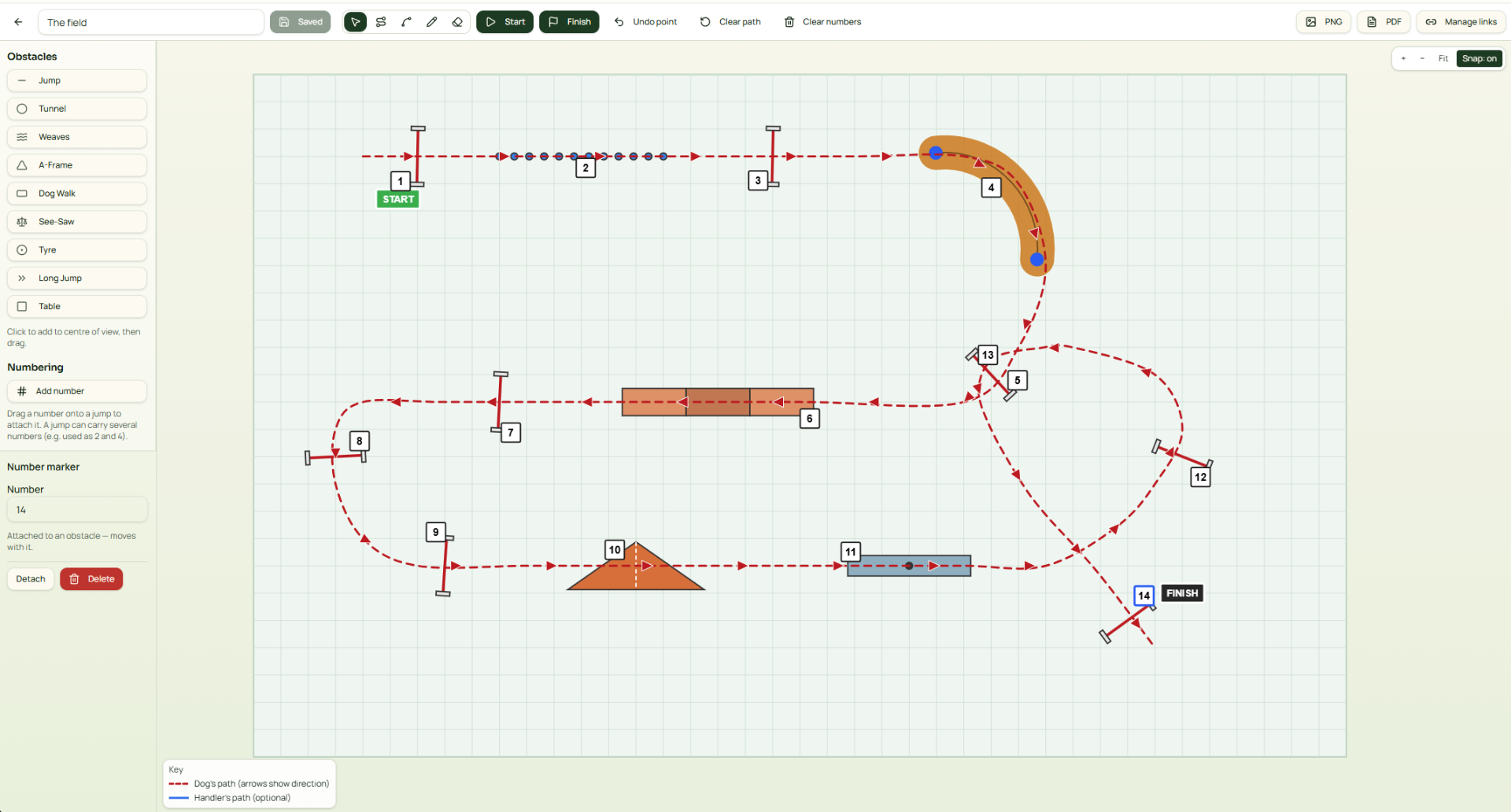
Dog & handler cards
Store names, notes, and key training points like 'can weave' or 'needs work on A-frame'.
Monthly drag-drop planner
Create training slots with times, then move them between days as plans change.
Private by default
Handlers only see their own sessions. Minimal personal data stored.
A tour of Weave & Jump
From planning your month to handlers booking themselves in — everything stays in one place.
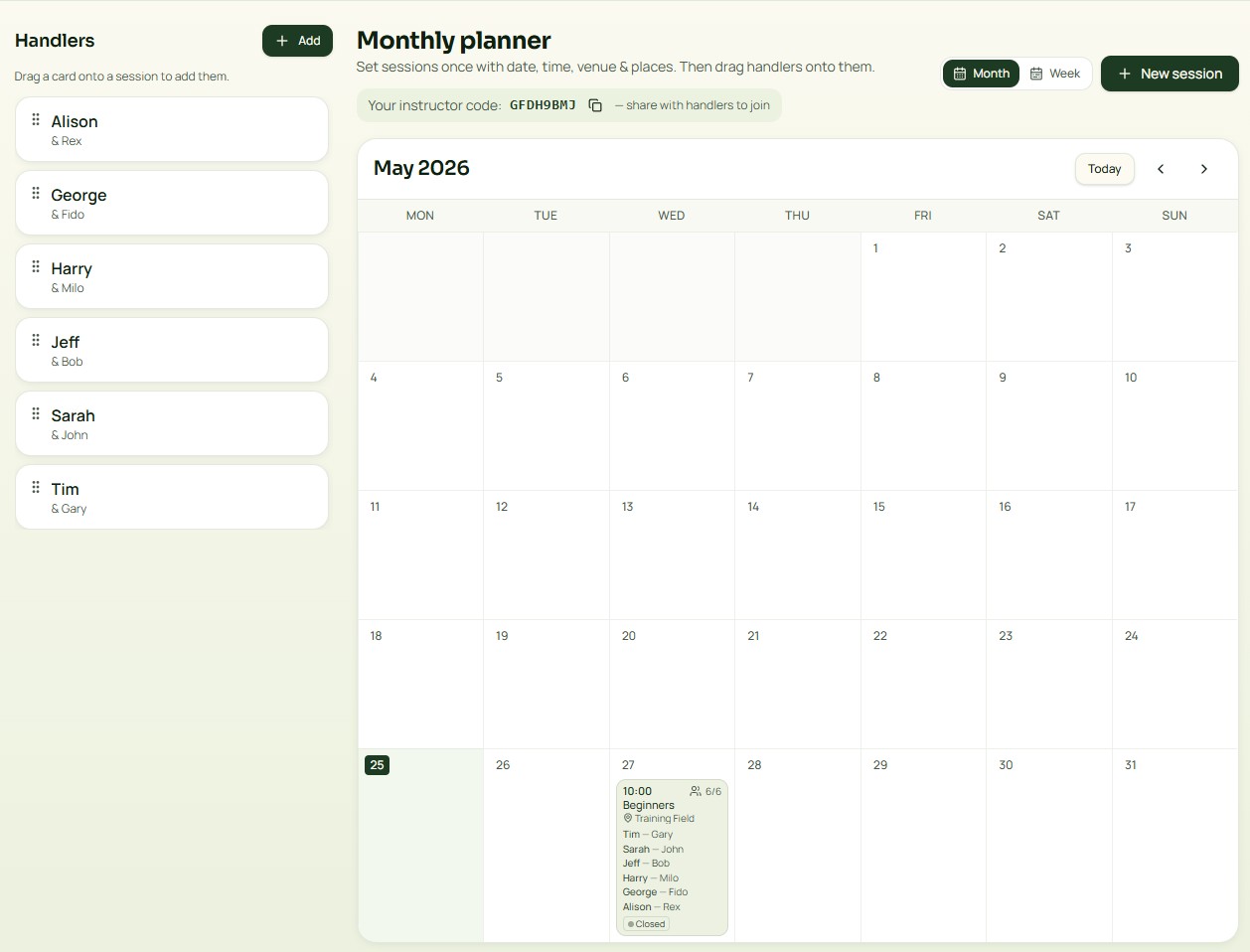
Monthly planner
Drag handlers from the sidebar onto sessions. Switch to week view, jump to any month, and share your instructor code so handlers can join.
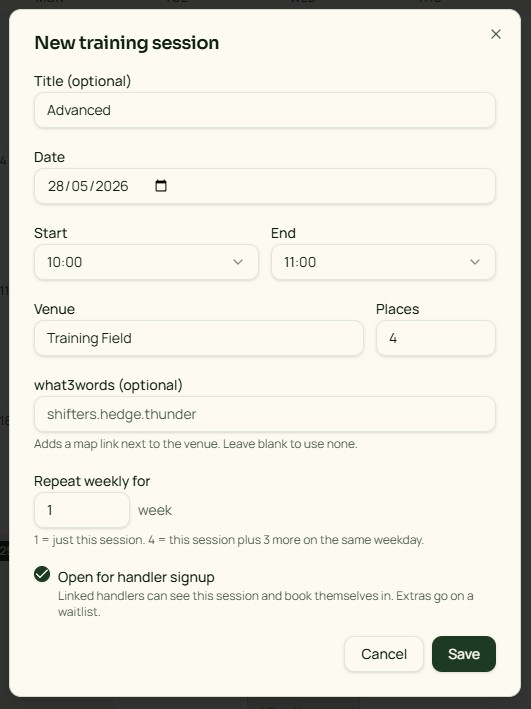
Create a session
Set time, venue and places. Repeat weekly in one click, and optionally open it up for handler self-signup.
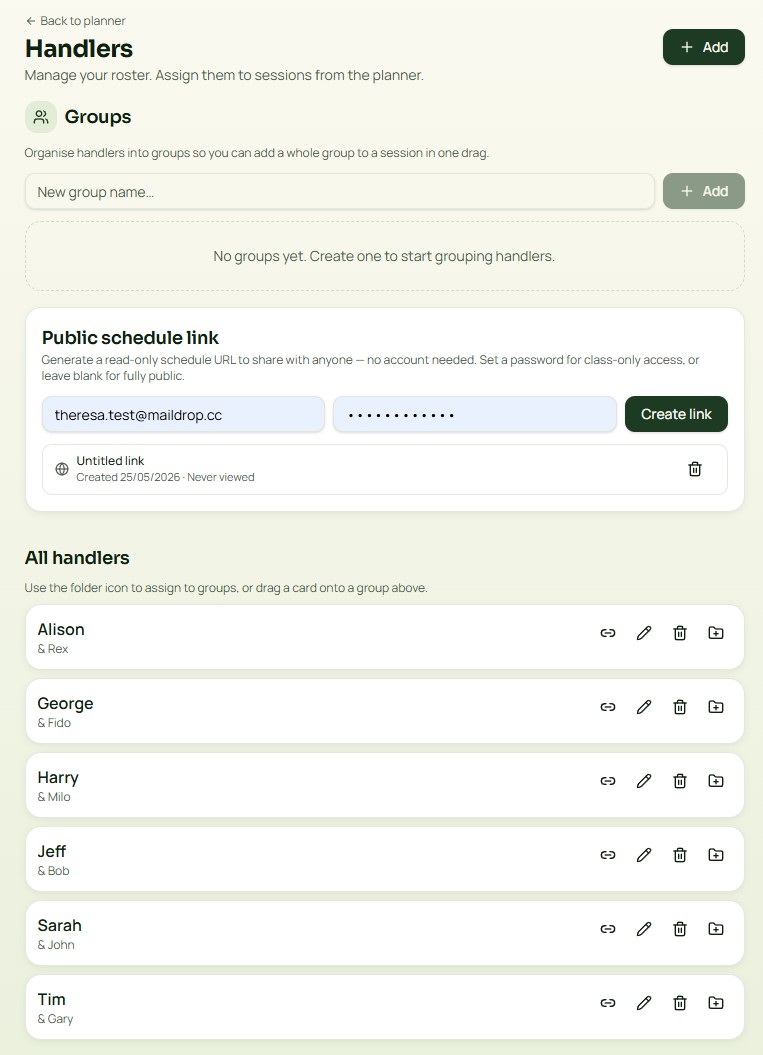
Handlers & groups
Manage your roster, organise handlers into groups, and share a public read-only schedule URL — with an optional password.
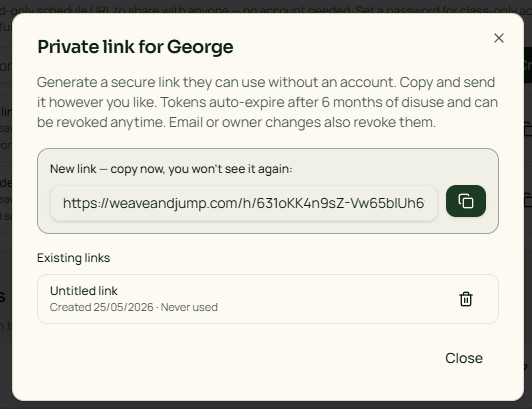
Private handler links
Generate a secure no-account link for each handler. Auto-expires after disuse and can be revoked anytime.
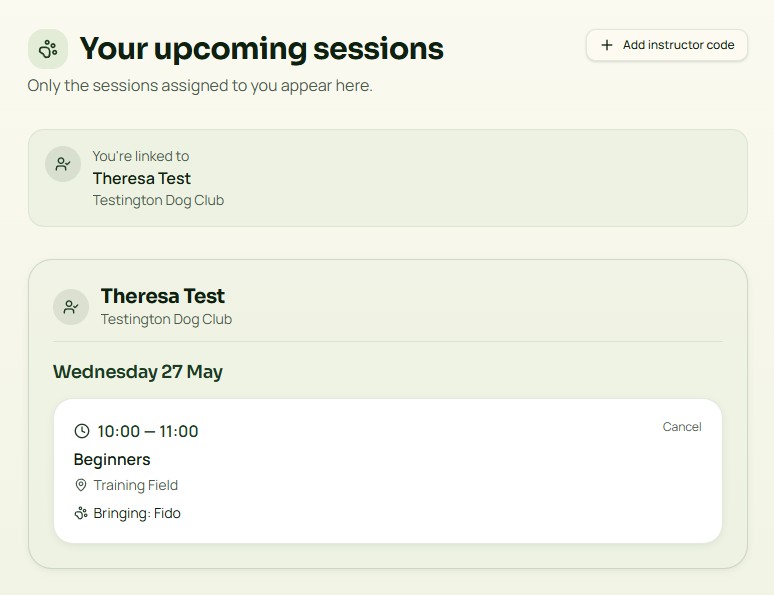
The handler view
Handlers see only the sessions assigned to them, with venue, time and which dog they're bringing.
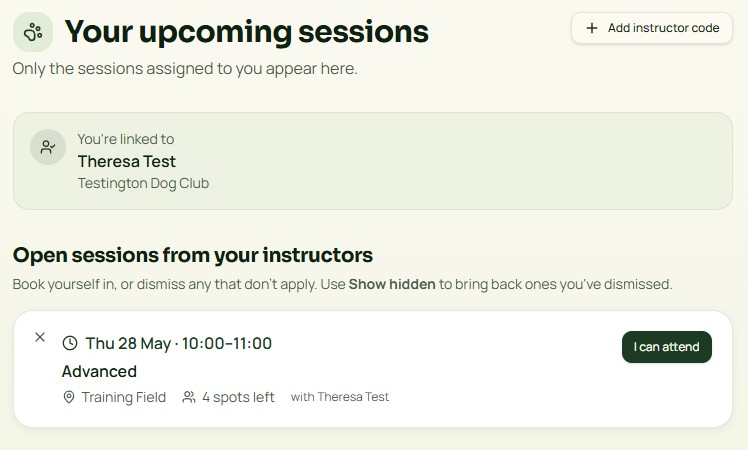
Self-signup
Open sessions show up for linked handlers. One tap to book in, or dismiss the ones that don't apply.
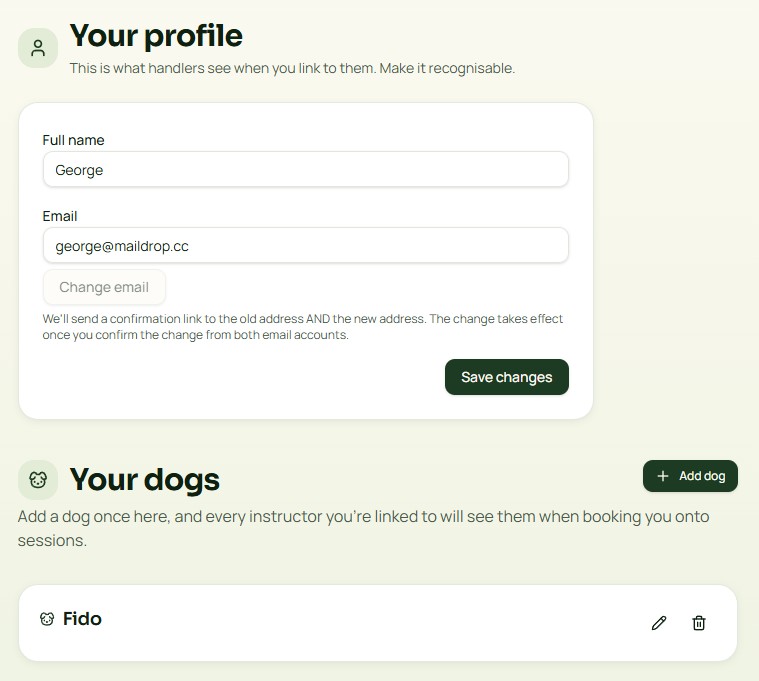
Handler profile & dogs
Handlers add their dogs once. Every instructor they're linked to sees them when booking sessions.
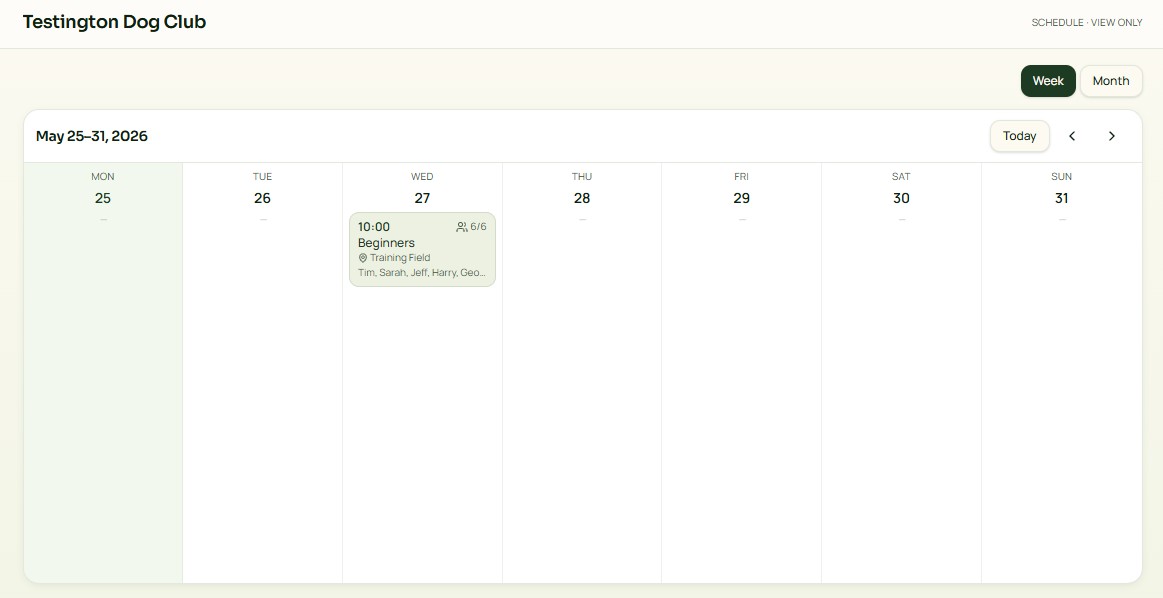
Public schedule URL
Share a clean, read-only week or month view of your club's schedule with anyone — no account needed.